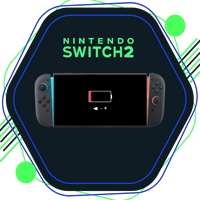
How to Fix Nintendo Switch 2 Battery Draining Issues: Ultimate Guide
The Nintendo Switch 2, launched on June 5, 2025, is currently one of the top-selling gaming consoles globally. With upgraded specs such as 4K resolution, 120Hz display, and enhanced visuals, the Switch 2 delivers a high-end gaming experience. However, many users have reported a growing concern: Nintendo Switch 2 battery draining issues.
If you’re experiencing rapid battery loss or incorrect battery readings, you’re not alone. While the expected battery life ranges between 2 to 6.5 hours, some units are depleting faster than they should. Fortunately, Nintendo has acknowledged the problem and released official troubleshooting steps. This guide provides detailed and actionable solutions on how to fix Nintendo Switch 2 battery draining issues effectively.
1. Recalibrate the Battery Indicator
The first recommended step to tackle Nintendo Switch 2 battery draining issues is to recalibrate the battery indicator.
Steps to Recalibrate:
Enter Recovery Mode: Power off your Switch 2 completely. Now, hold the Volume (+) and Volume (-) buttons, then press the Power button until the Recovery Mode menu appears.
This resets the internal battery meter and can correct inaccurate battery percentages.
Full Charge-Drain Cycle:
If recalibrating didn’t help, try this:
Charge the console to 100%, then leave it plugged in for another hour.
Disconnect the charger and let the battery drain naturally until the device powers off.
Repeat the process 2–3 times. This process improves battery calibration accuracy and can solve incorrect charge readings.
2. Update System Software
Outdated software can often cause battery misreporting or increased power usage. To fix Nintendo Switch 2 battery draining issues, ensure your firmware is up to date.
How to Update:
Go to System Settings > System > System Update and check for the latest version.
Nintendo often releases patches that address performance and power consumption bugs.
3. Adjust Power-Saving Settings
Tuning your power settings can significantly reduce unnecessary battery usage.
Recommended Changes:
Disable Auto-Sleep temporarily during calibration (Settings > Sleep Mode).
Lower screen brightness—especially crucial for OLED displays that consume more energy at higher brightness.
Activate the built-in Power Saving mode to maximize efficiency.
4. Use the Official Charger
Using unofficial or third-party chargers can lead to poor charging efficiency, which contributes to Nintendo Switch 2 battery draining issues.
Charger Tip:
Always use the official NGN-01 AC adapter supplied by Nintendo to ensure stable and safe charging.
5. Pro Tips to Extend Battery Life
Here are some additional tips that help resolve how to fix Nintendo Switch 2 battery draining issues more effectively:
Enable Airplane Mode when the console is idle to disable Wi-Fi and Bluetooth.
Switch to Dark Mode to reduce OLED power draw.
Close background apps when not in use.
Turn off HD Rumble and Controller Vibration, which drain the battery during gameplay.
Disable HDR and 120Hz settings when not necessary—both consume a significant amount of power.
Final Thoughts
The Nintendo Switch 2 is a powerhouse, but even the best devices can face issues. If you’re facing Nintendo Switch 2 battery draining issues, the above steps—from recalibration to power-saving tips—will help you improve battery performance. Always ensure your software is updated, use the official charger, and adjust settings as recommended.
Now that you know how to fix Nintendo Switch 2 battery draining issues, you can get back to enjoying a seamless and longer gaming experience without worrying about power interruptions.